Etere Configuration
62.1 New System Maintenance
After running the NEW archive maintenance (in Etere Update Application), the "Check Main Database Structure" option will no
longer be available.
If you need to use the OLD maintenance, you can switch between the new and old versions by using the following shortcut:
SHIFT + CTRL + ALT + A
After running the NEW maintenance, a white label will appear showing the application name along with the date and time of the
last execution.
“Update default values” and “Update screen language” will be checked by default.
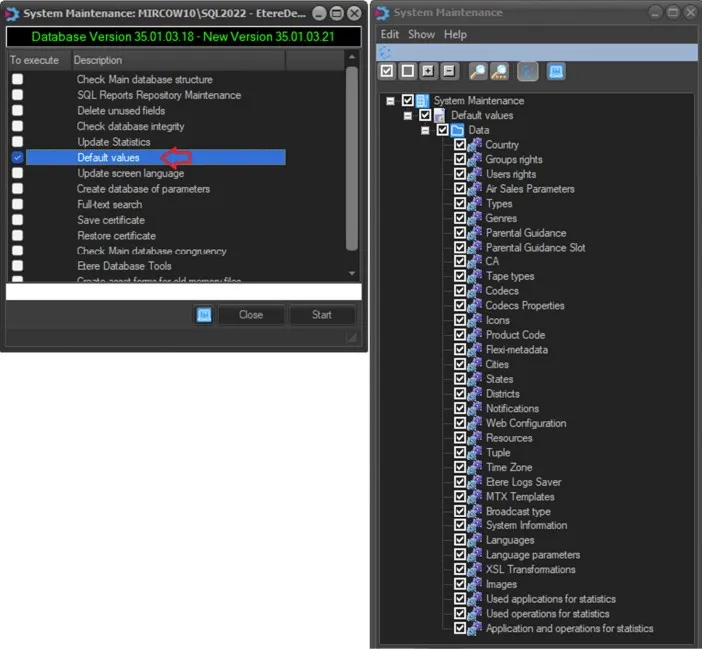
new_SM_1
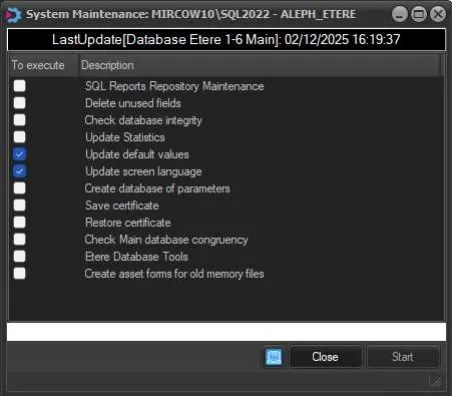
new_SM_2