Components
5.3.1 Add a new file to the installation
1. To add a new file to the installation enter in the "Components" section, press the "Add File" button
See the example in the image: SYS- Components_Add files
2. Select Project, Application and Component
See the example in the image: SYS- Components_Add files_Project_Application_Component
3. Drag the files into the "Drag files here" section or click "Add Files" and select the files to upload. Then click "Save"
See the example in the image: SYS- Components_Add files_Drag_File_To_Upload
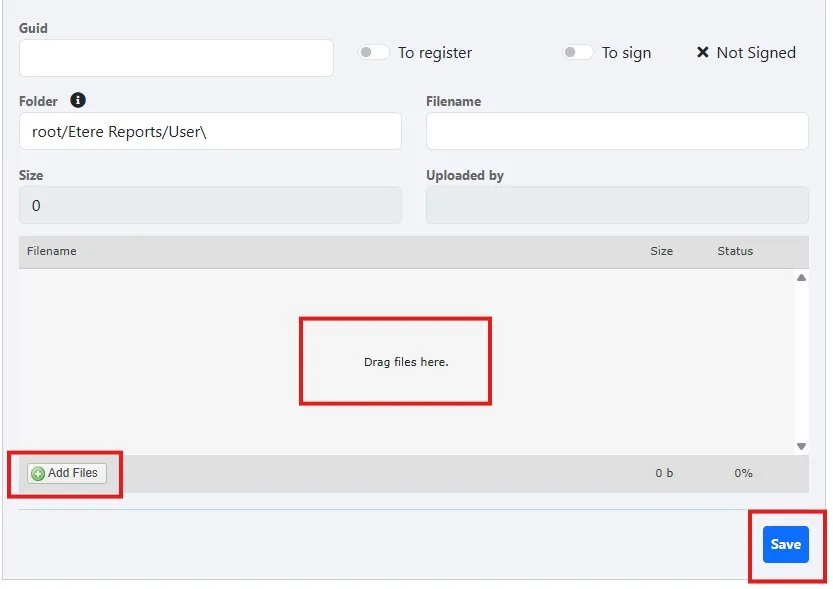
SYS-_Components_Add_files_Drag_File_To_Upload
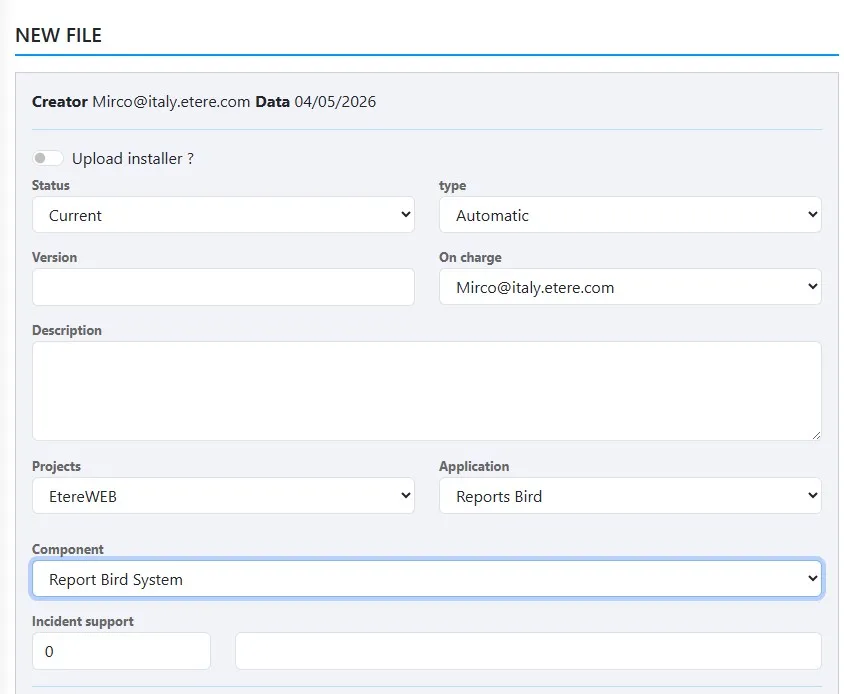
SYS-_Components_Add_files_Project_Application_Component
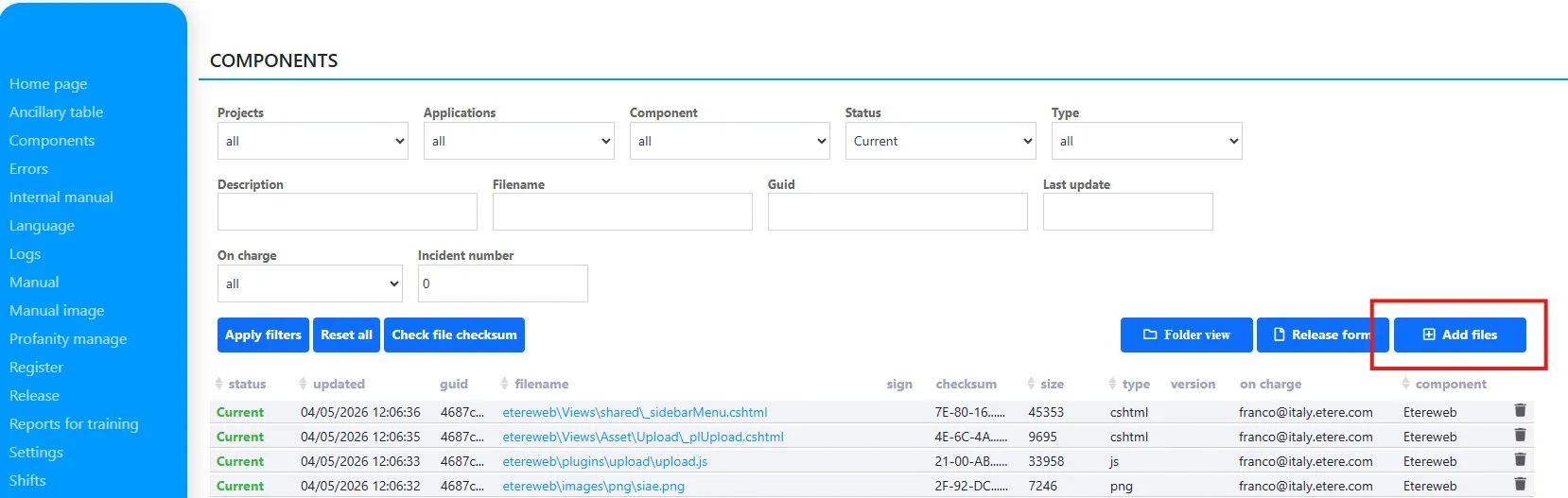
SYS-_Components_Add_files