Useful procedures
2.1.1 Help management- hidden command delete ID
Press F12 and in the console execute the command DeleteChapter(n.ID), inserting the ID of the chapter between brackets.
start writing delete... then the rest of the command is suggested.
Finally press Enter key and select Ok If you want delete the ID chapter.
help_management-_hidden_command_delete_ID
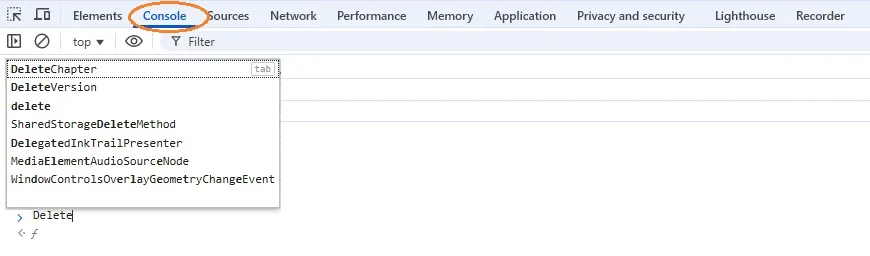
Help_internal_F2_Console_Delete_Chapter
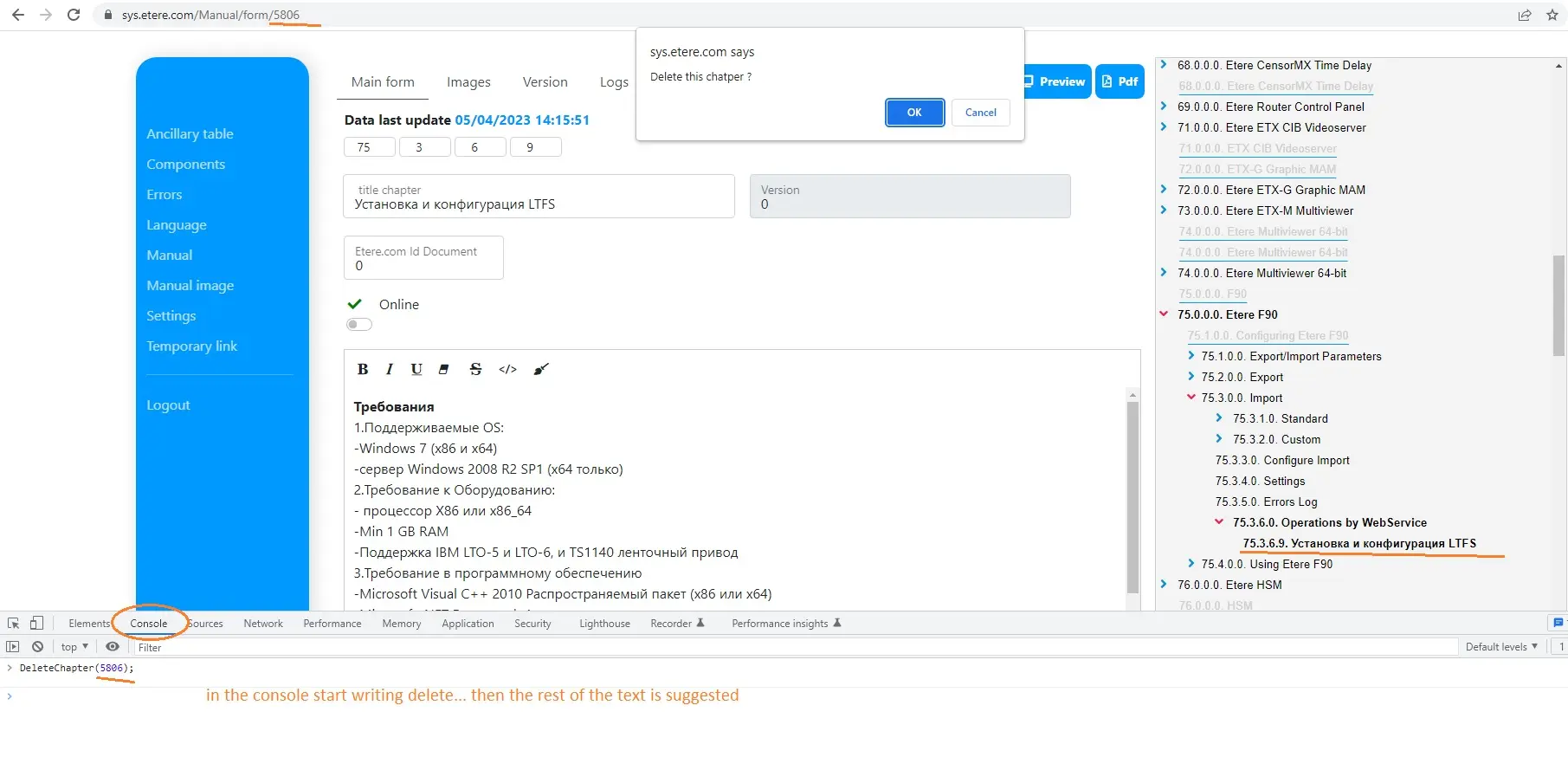
help_management-_hidden_command_delete_ID