2.1.3 Function to see chapters not updated in other languages
This function allows you to have a list of chapters that are not updated with respect to other languages.
The check is carried out on the last modification date of each chapter in the various languages.
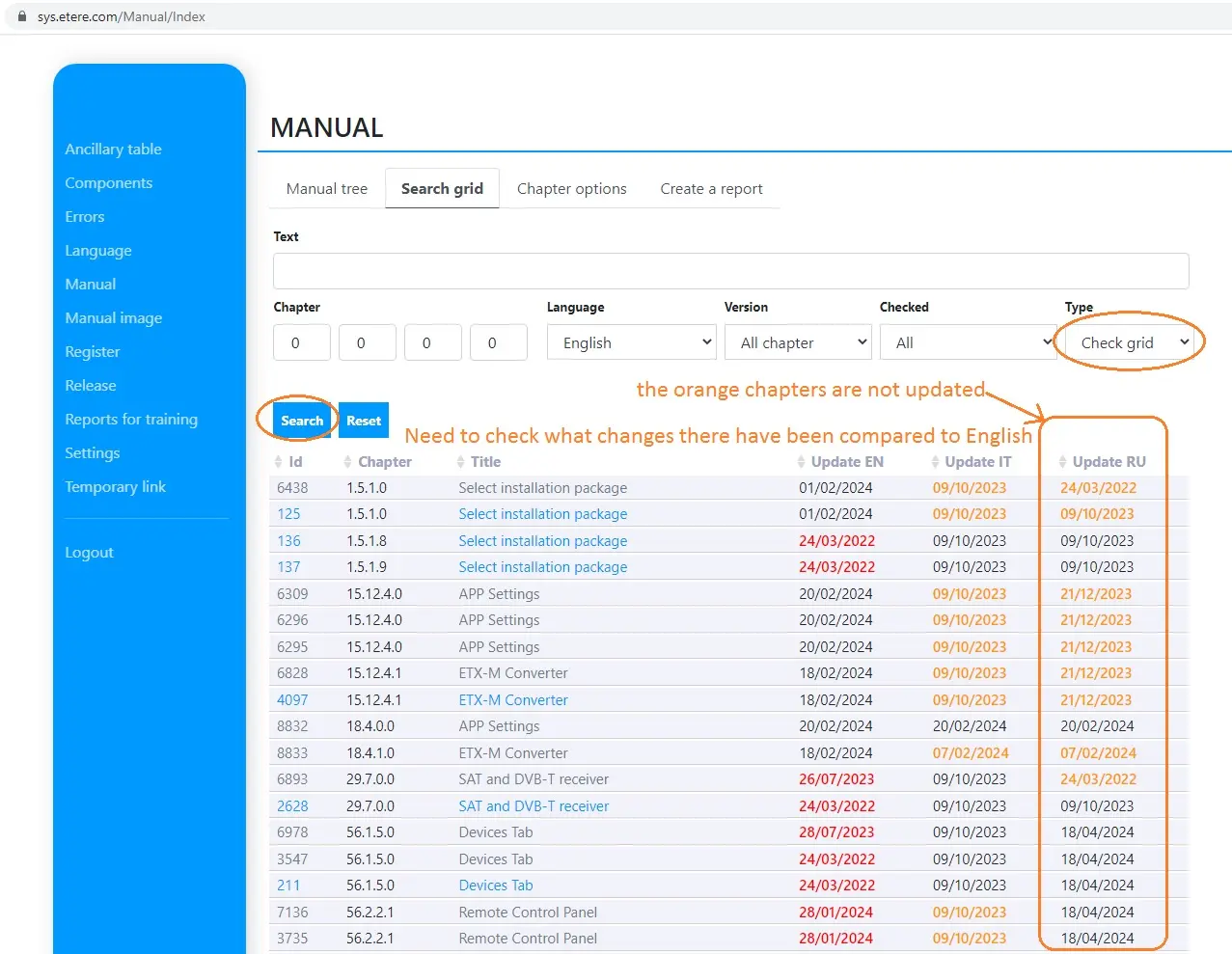
Currently in the help management area there is this function that compares the save dates of the various languages, in this way it is possible to see which chapters in Russian need to be checked because the date of the chapter in English is more recent.
Russian chapters you need to double-check are colored orange.
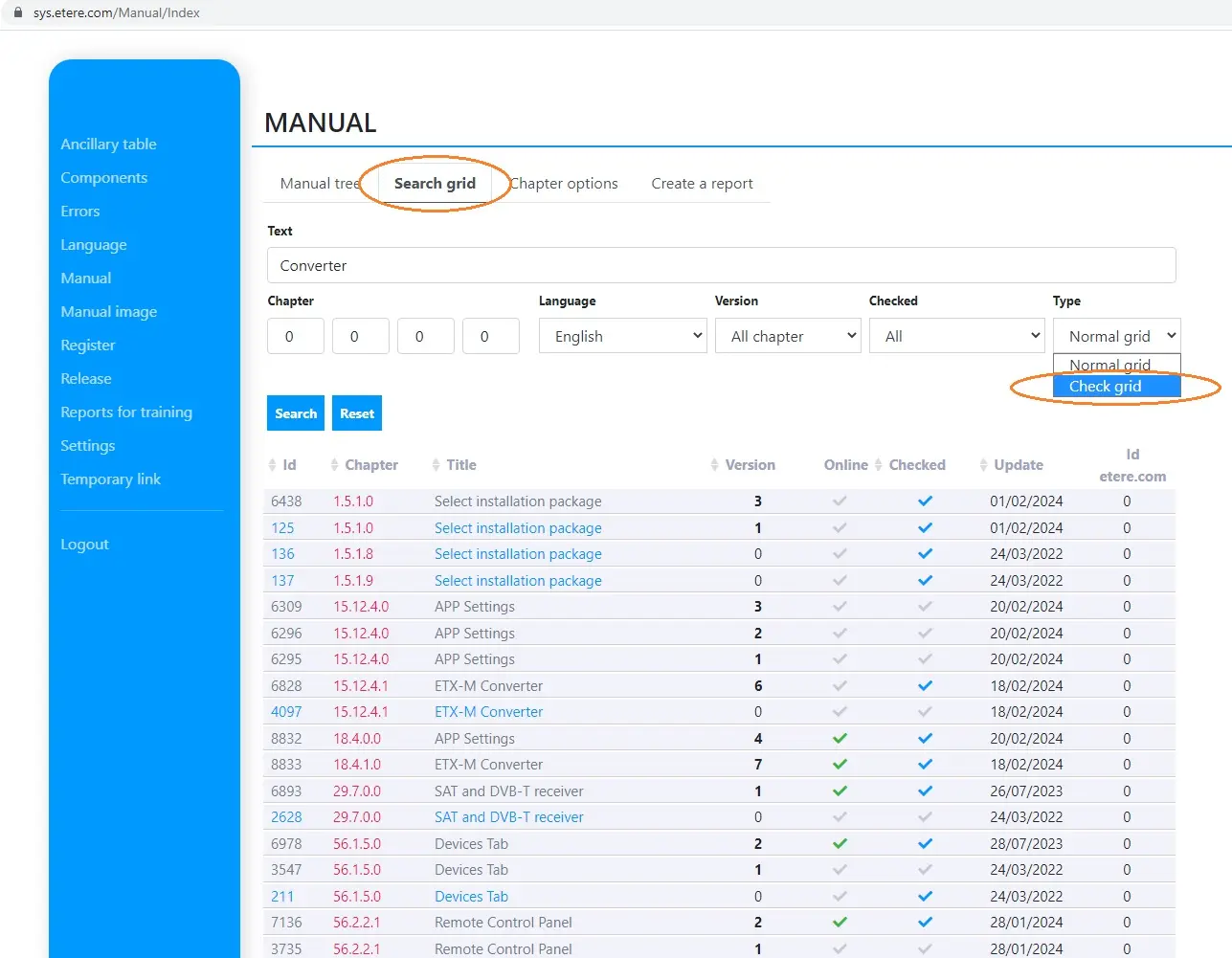
In the manual management area, select Search grid-type= Check grid and press Search (fig.01- Search Grid- Check grid)
In the list that appears, the chapters to be checked again are those colored Orange. (fig.02- Search Grid- Check grid)