3 Operational Procedures for New Employees
Below are the operational instructions to be followed during work activities.
1. SYSTEM ACCESS (LOGIN)
Username and password credentials to access various services must be requested from your department manager, who will provide them to the employee.
2. ATTENDANCE REGISTRATION (ARRIVAL / DEPARTURE)
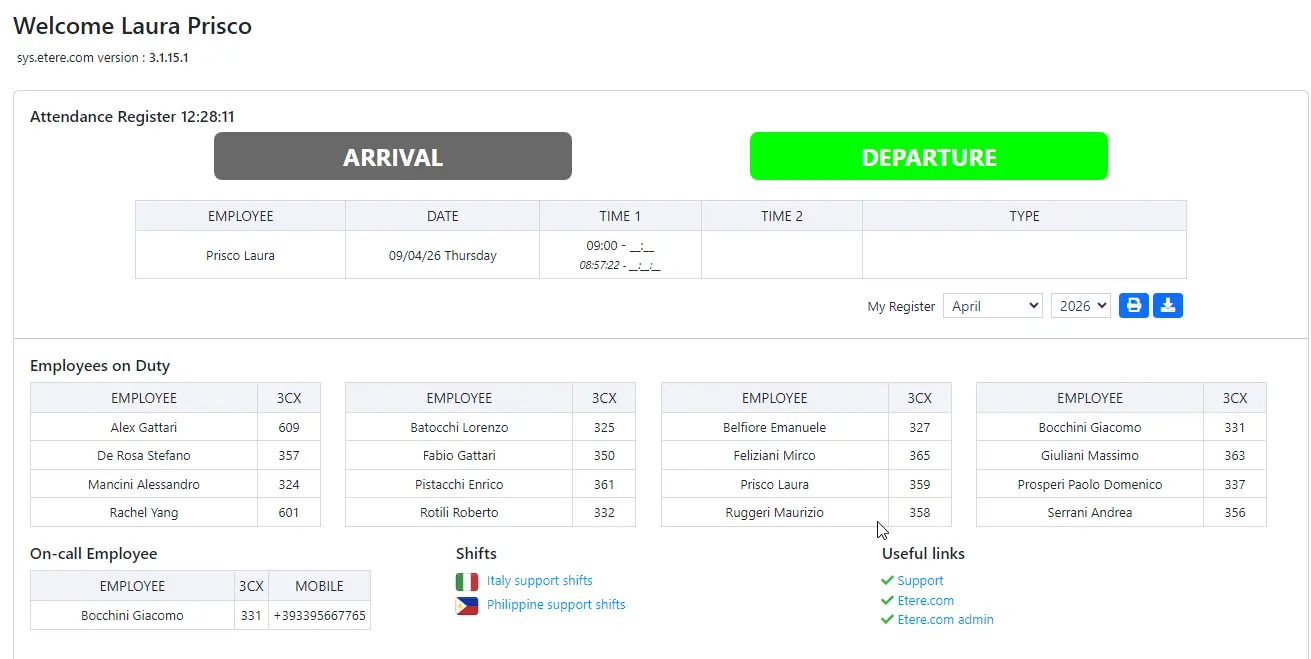
To record your attendance, access the following portal: https://sys.etere.com/Home/
• Click “Arrival” upon arrival
• Click “Departure” upon leaving
Important notes:
• Clocking in and out is mandatory, including during lunch breaks
• Operations must be performed exclusively from your company workstation
• The use of external devices (smartphones, personal PCs, etc.) is not allowed
Here is an example:
attendance_registration
3. WORK TICKET MANAGEMENT PORTAL
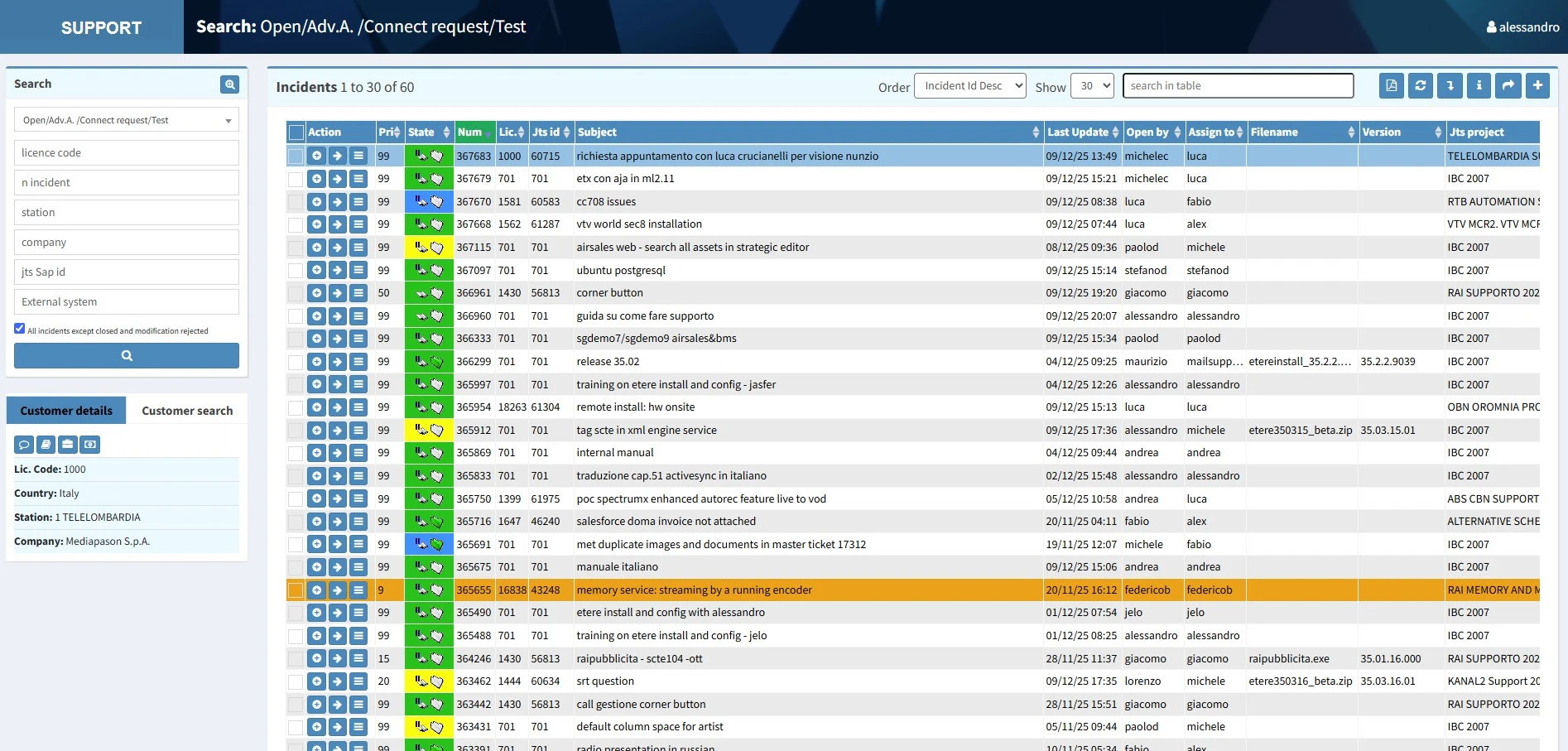
To monitor assigned tasks or handle customer issue calls, access the portal at: https://su.etere.com/
Instructions for using this portal are available in the internal help section: 3.0.0.0. Guide to Etere Support
Here is an example:
incidents_list
4. TELEPHONE COMMUNICATIONS
For company calls, you may use one of the following methods:
• Snom landline phone
• 3CX web system application
• 3CX windows application
• 3CX APP Android/IOS phone
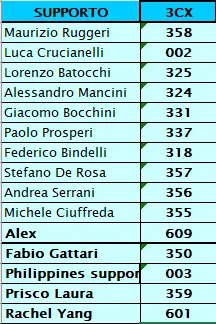
The contact list is also available at https://sys.etere.com/Home/
contact_list
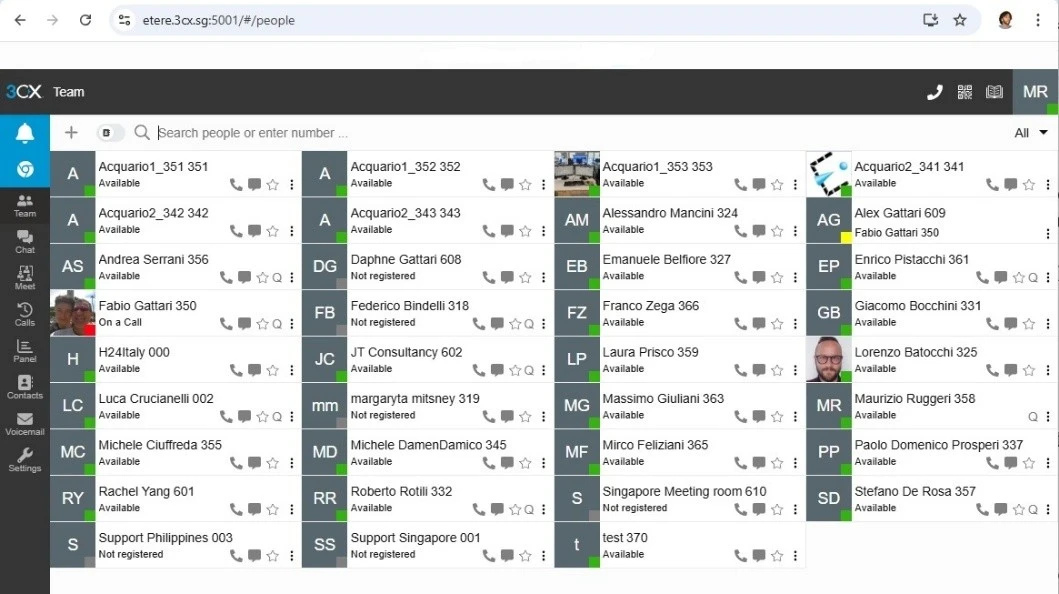
Instructions for accessing the 3CX web system:
• Connect to https://etere.3cx.sg:5001/
• Username and password credentials must be requested from the responsible manager, who will provide them to the employee
Here is an example:
3cx
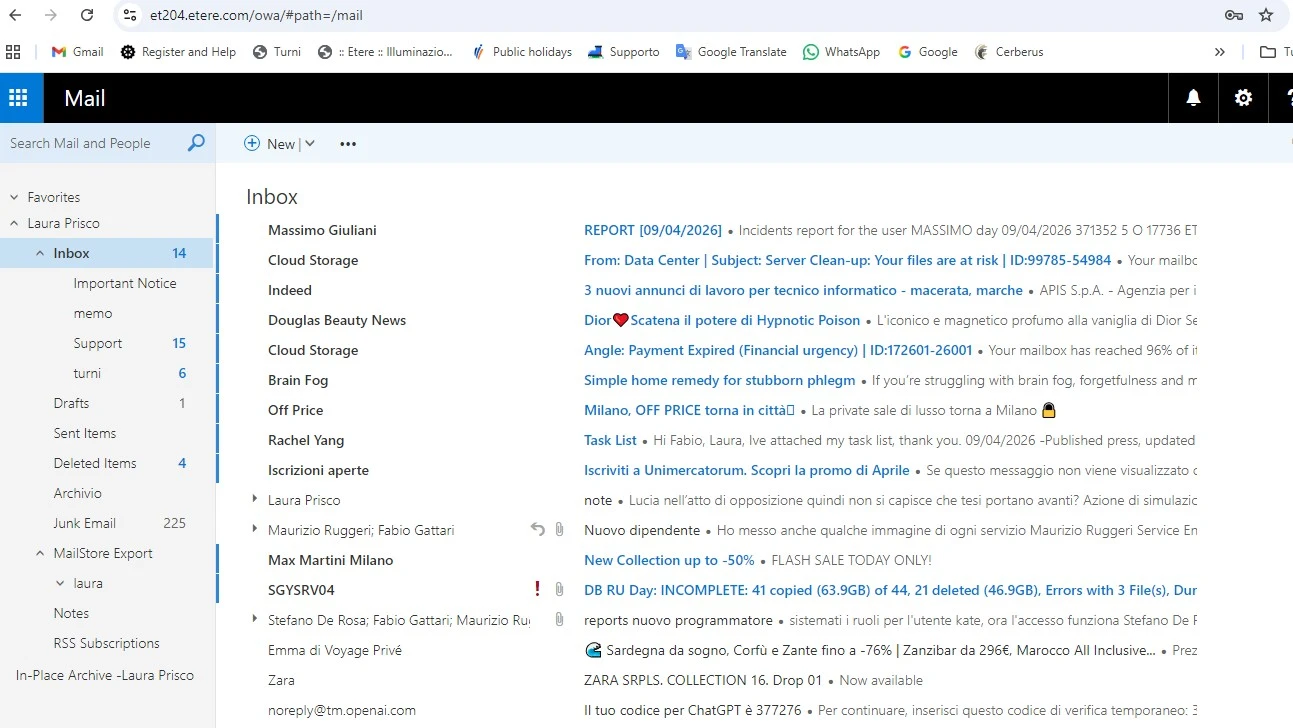
5. EMAIL ACCESS
Each employee has a personal email address. To access the service, go to: https://et204.etere.com/owa/
Username and password credentials must be requested from the responsible manager, who will provide them to the employee.
Here is an example:
owa
6. VACATION REQUESTS
To request vacation, send an email to:
• laura.prisco@etere.com (HR Manager)
• fabio.gattari@etere.com (Administrator)
The request is valid only after receiving a confirmation email.
7. END-OF-DAY REPORT
At the end of each work shift, it is mandatory to send an email report of completed activities to:
• Dailyreport@etere.com (Programmers)
• Turni@etere.com (Support)
Final Provisions
Compliance with the above procedures is essential to ensure proper organization and management of company activities.
For any questions or clarifications, please contact your manager.