Guide to Etere Management SYS Area
5.11 Release
After updating the installation files via the "Components" section, you need to create a new Release
1. Go to the Release section and click on New Release;
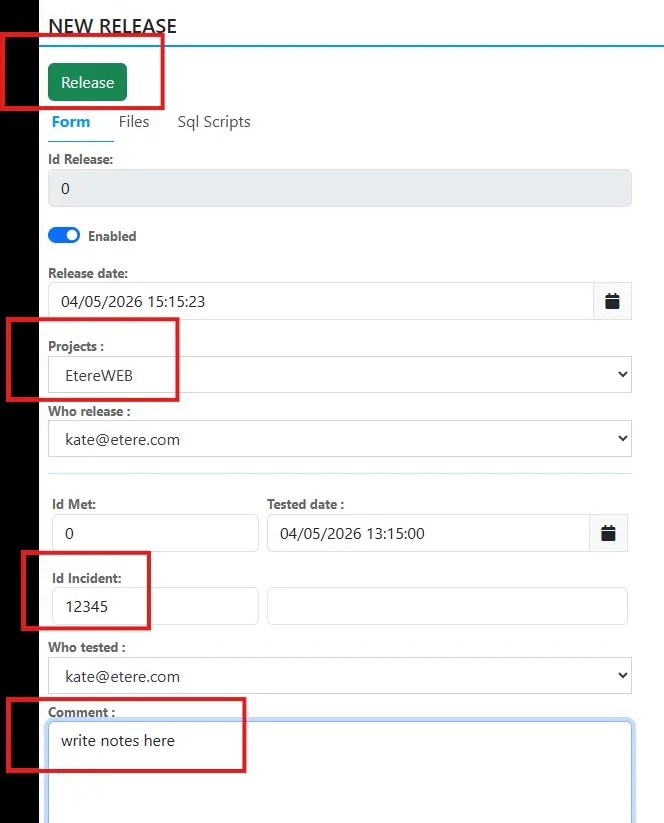
See the example in the image: SYS- Release_New Release
2. Select the project
3. Write the support incident number (This reference number is very important because it allows a ticket to be created for the documentation department)
4. Ability to add notes
5. Click on the see Release button
See the example in the image: SYS- Release_New Release_Project_Comment
SYS-_Release_New_Release_Project_Comment

SYS-_Release-_New_Release