147.2.1 How to re-generate the Password for AVID users
Preface
This guide explain the detailed steps to regenerate the password for the user AVIDXXX through the self-service portal "Amico Password". It's mandatory to thoroughly follow every step in order to avoid authentication or password update errors.
1. Access to the portal “Amico Password”
Open the browser (preferably Chrome) and connect to the following address: http://amicopassword.rai.it
2. First Access and authentication
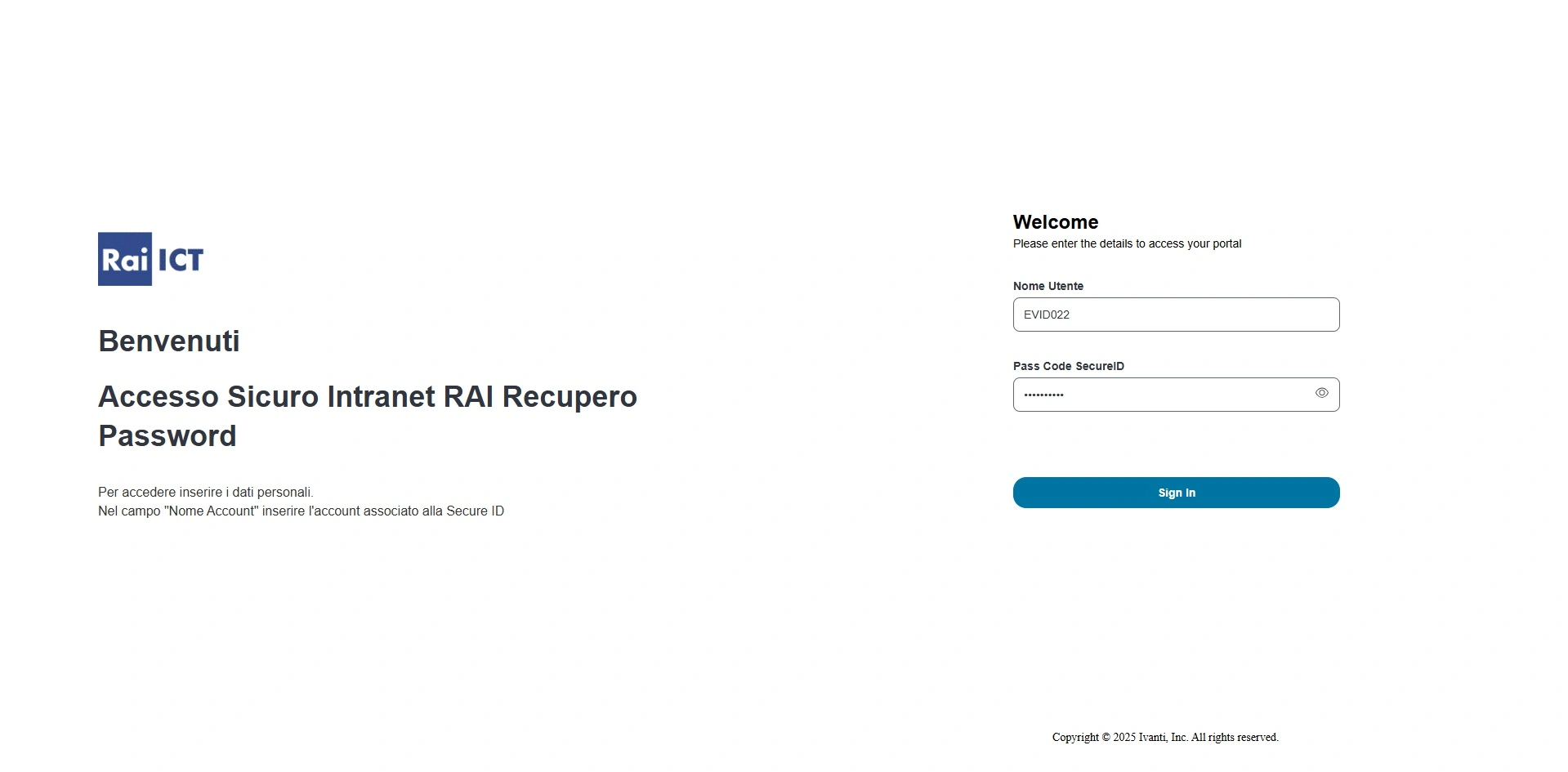
In the site landing page you will find:
Nome utente -> Username
>> insert the UsernameEVIDXXXCode SecureID
>> insert the Personal PIN followed by the token generated by Vasco
Example: PIN 1234 + Vasco 567890 = 1234567890
3. Insert domain credentials
After the authentication a new screen will appear.
Now insert:
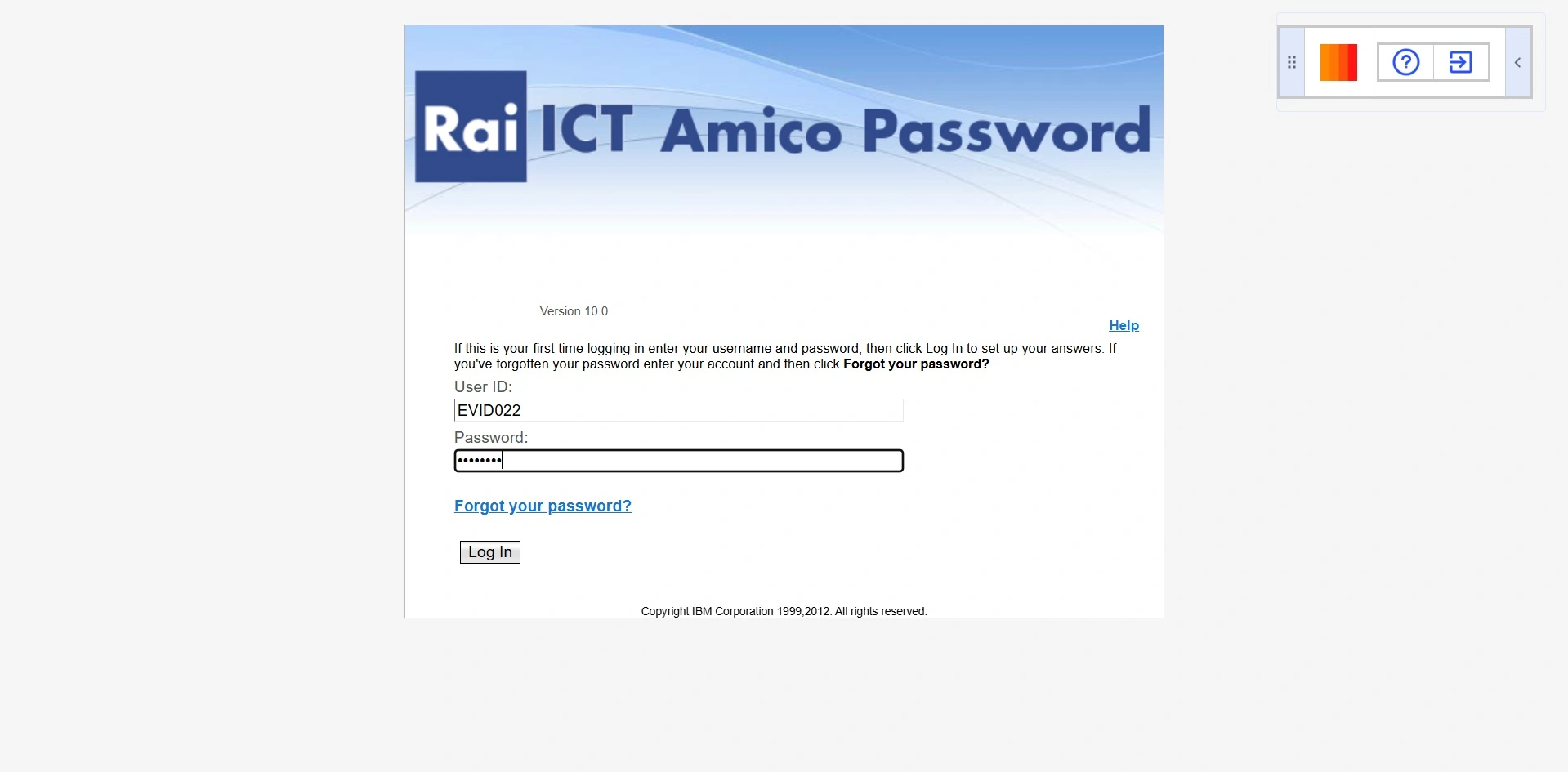
Username:
EVIDXXXPassword: domain password a
EVIDXXX
!! The domain password is the one used to access the RAI systems (es. Workstations, intranet, ecc.)
4. Set-up security questions
! Only upon 1st access the systems will require to configure the security questions/answers for the password reset il sistema richiederà di configurare le domande di sicurezza per il recupero password.
- Choose and answer to at least 4 questions
- Be mindful when saving the answers (they will be needed in case of future reset requests)
5. Modify the password
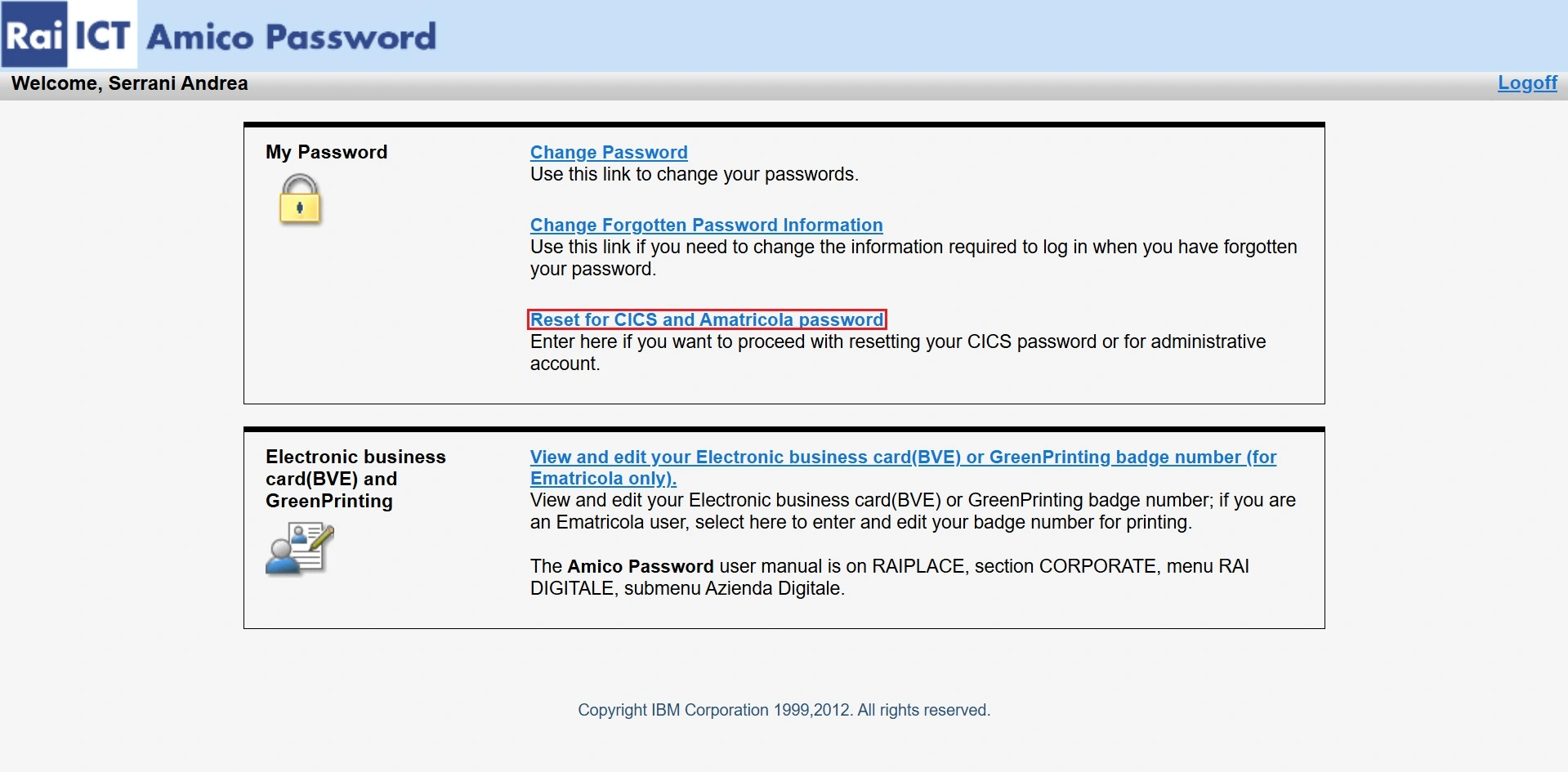
Procede by clicking on:
> Reset for CICS and Amatricola password
6. Change the AVID password
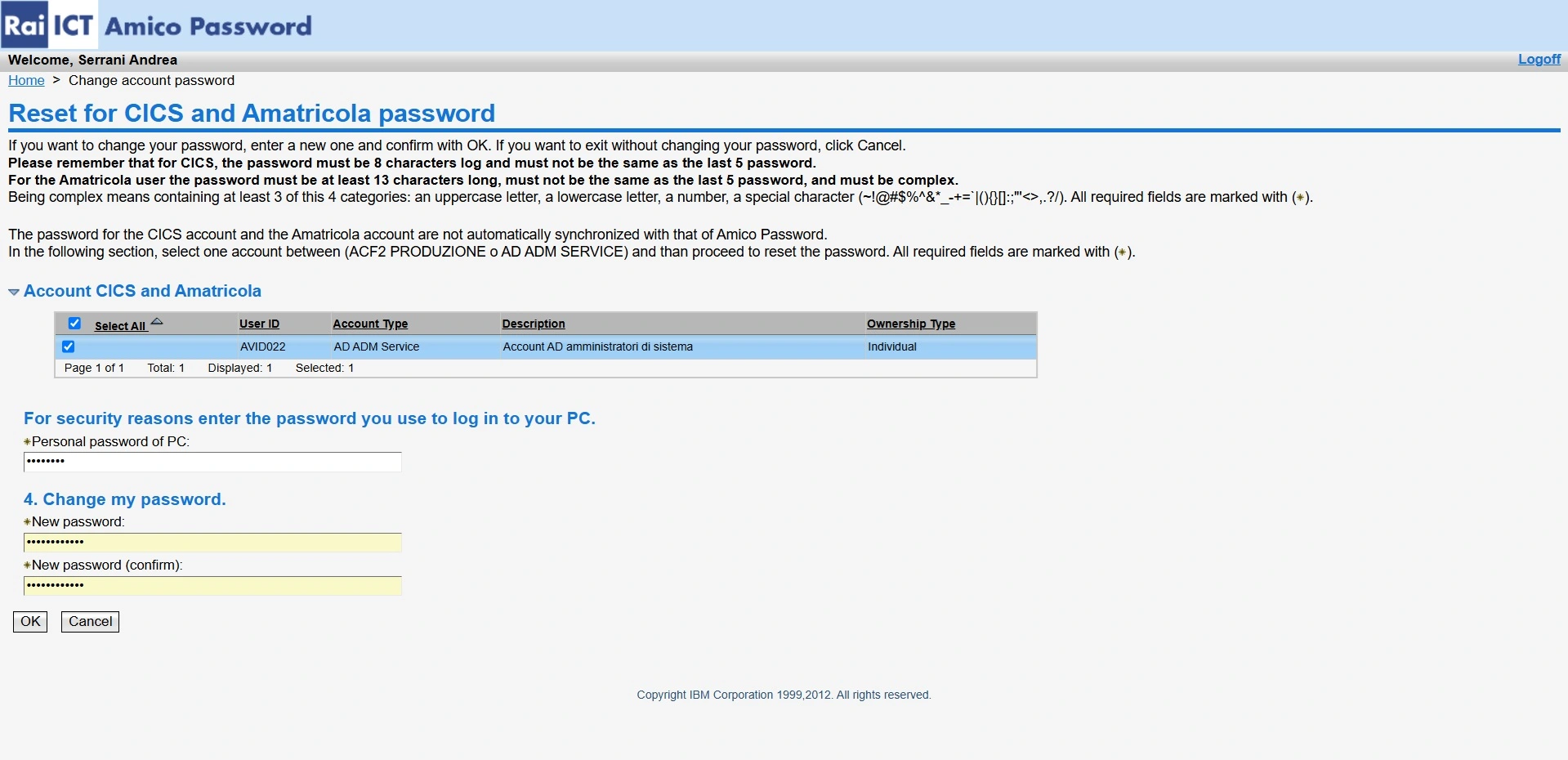
In the screen dedicated to the passowrd editing:
Select the correct AVIDXXX user among the available ones
Fill the form as follow:
- Personal password of PC
>> Insert the current domain password of the
EVIDXXXuser- New password
>> Type the new password for the
AVIDXXXuser- New password (confirm)
>> Type the new password for the
AVIDXXXuser againConfermare l’operazione
Note:
As stated into the webpage, the new password must be at least 13 character long, different from the previous 5 password used by the AVID username and it should be compliant to at least 3 of the following conditions:
- one capital character
- one lower character
- one number
- one special character among the following: ~ ! @ # $ % ^ & * _ - + = ` | ( ) { } [ ] : ; “ ‘ < > , . ? /